Correct a line in place, annotate, redact, sign with a certificate and protect your documents. Everything happens on your device: no PDF is ever sent over the internet.
Free to download, with a monthly subscription for one person on all their Apple devices.
Agreed27/11/2026
Page 1 of 1
One sheet, seven moves
The same document, from inbox to outbox.
Scroll down: the sheet follows every step, just as it does in Editorialys.
01
Open
Drag a PDF into the window, or choose it in Files or the Finder. It appears exactly as it is, with thumbnails of its pages: rearrange them, rotate them, add a blank page or merge in other PDFs.
02
Edit text
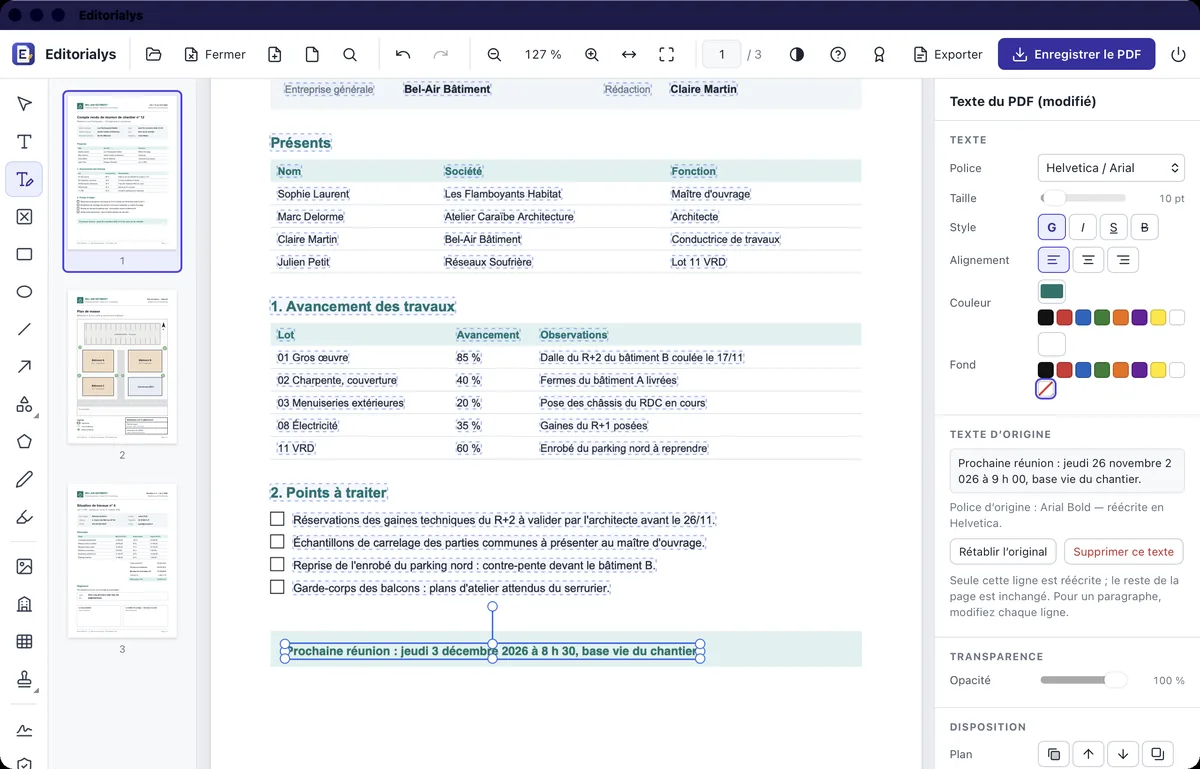
Tap a line and correct it in place. Only that line is rewritten, in the same position, size and colour; the old text is actually removed from the file. Find and replace changes a name, a date or an amount throughout the document.
03
Annotate and fill in
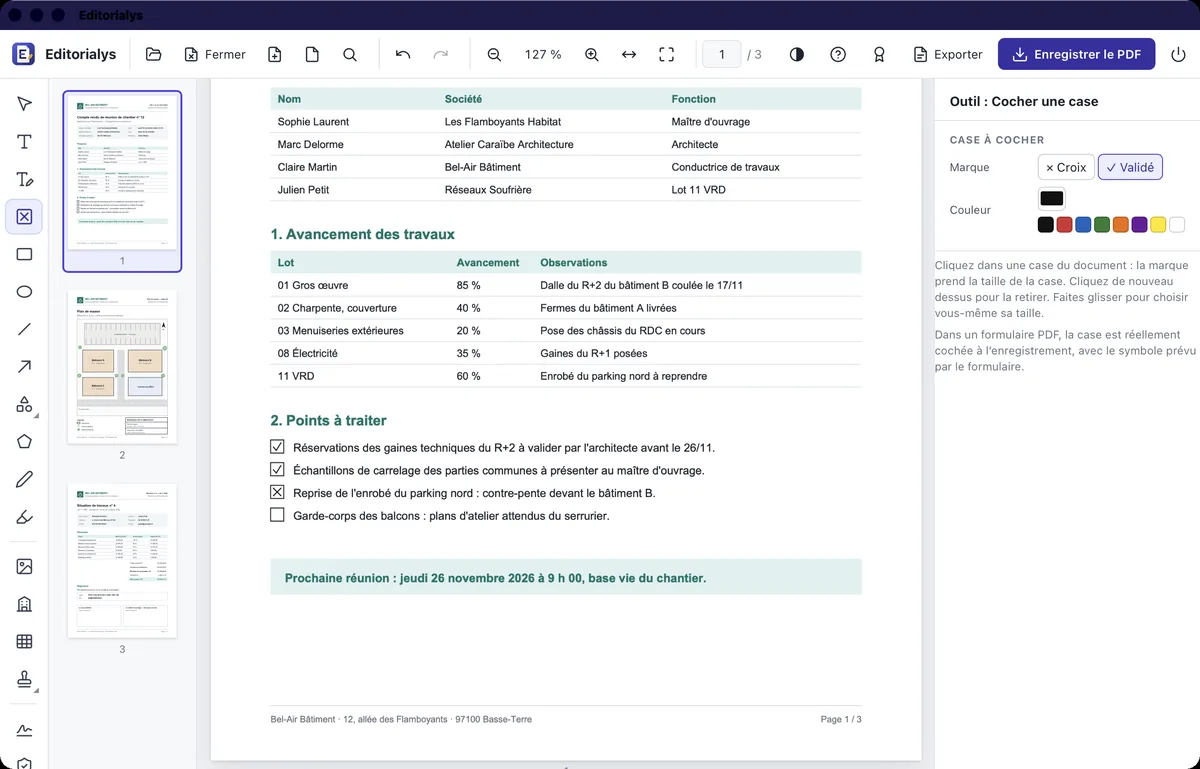
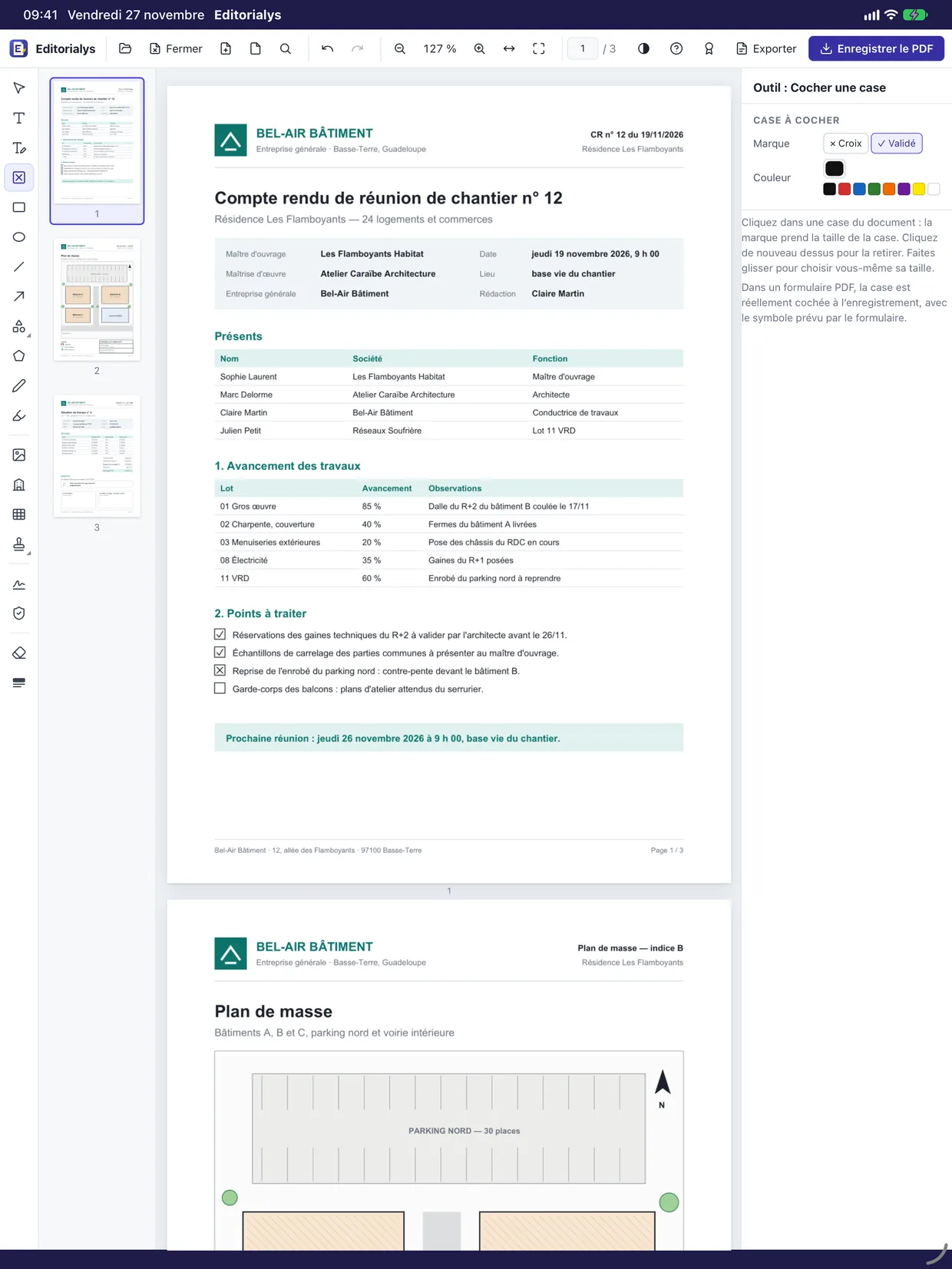
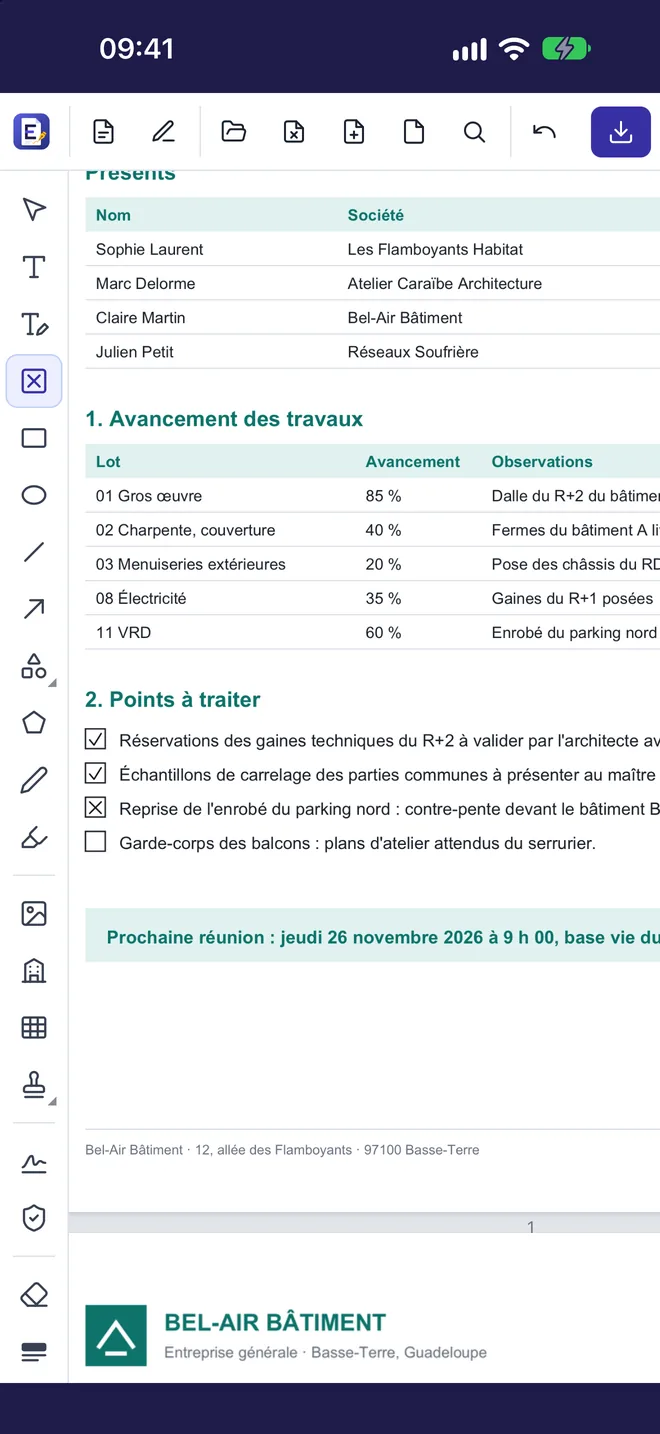
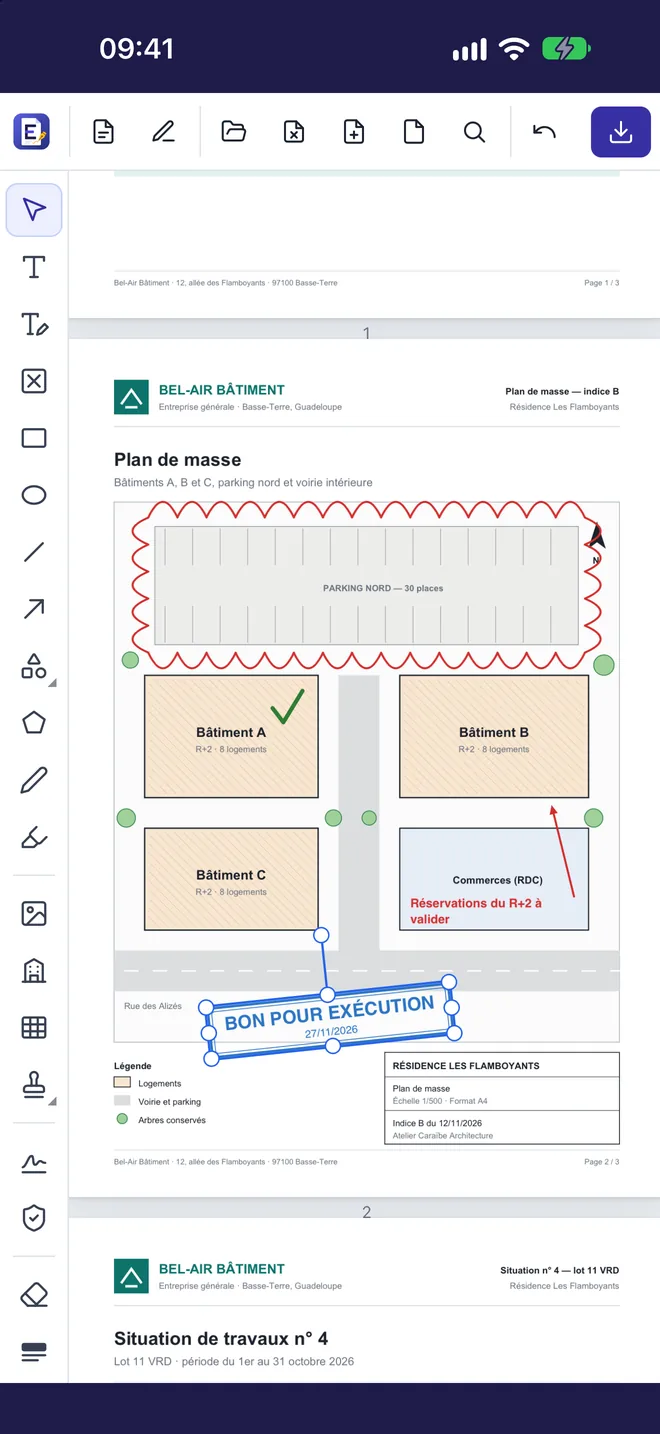
Text, arrows, revision clouds, highlighter, pencil, tables pasted from a spreadsheet, dated stamps. The boxes in a PDF form are ticked for real.
04
Redact
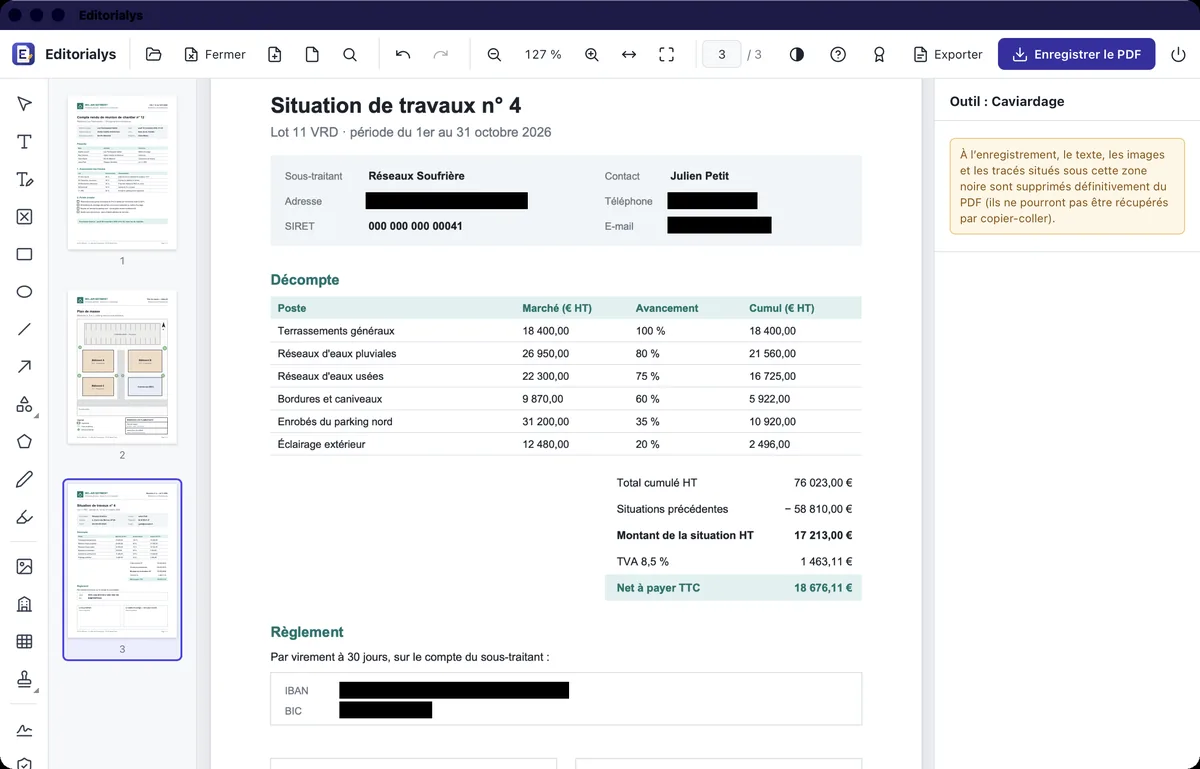
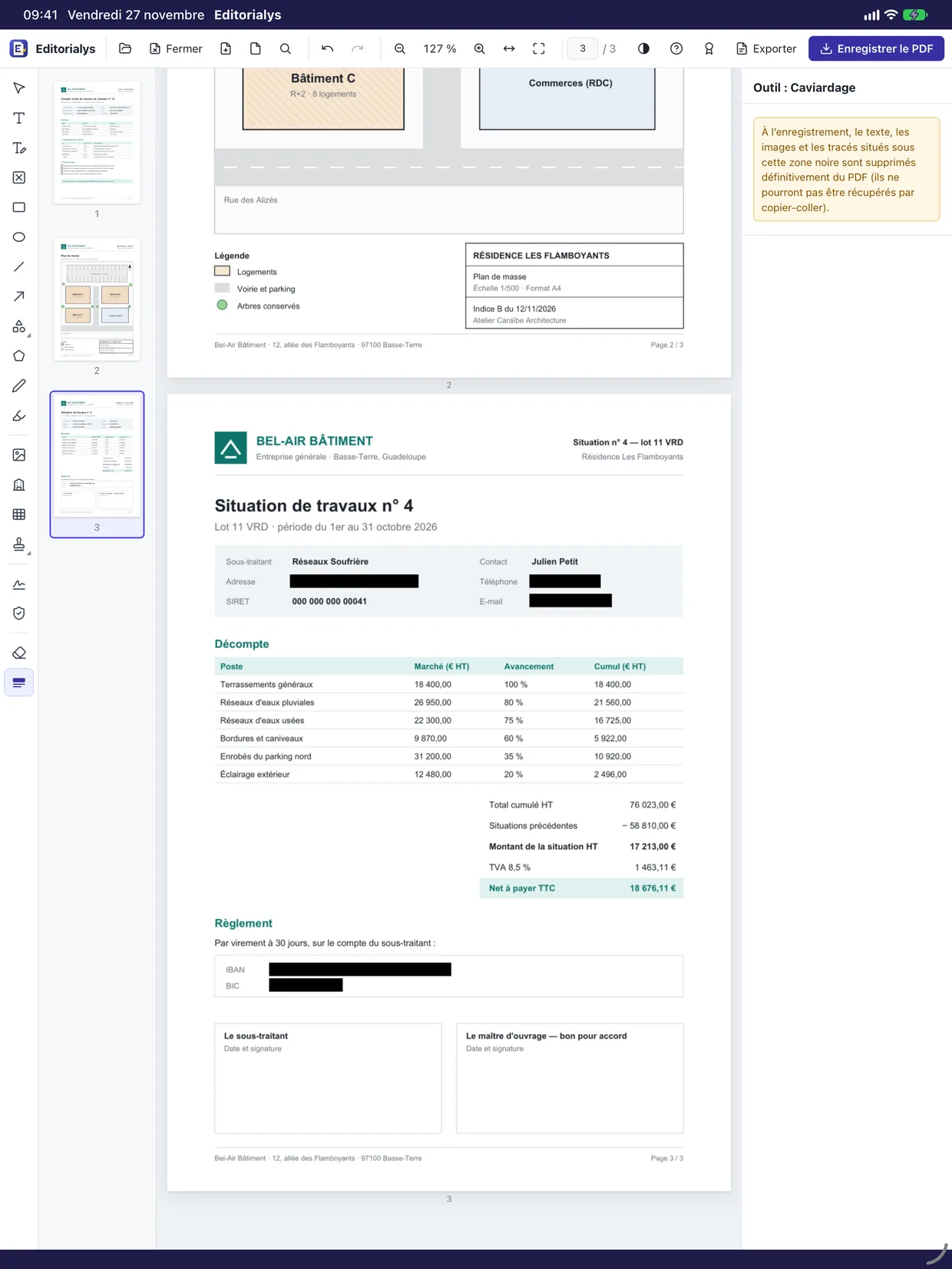
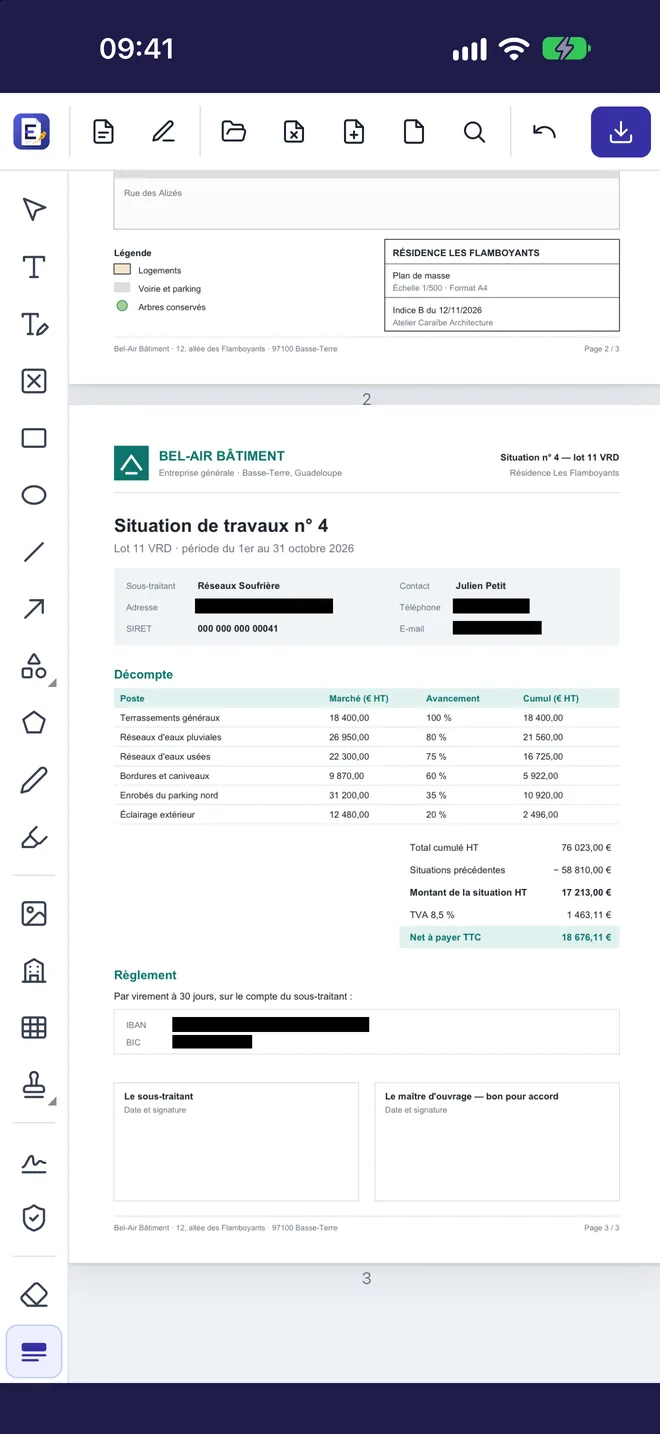
The black box doesn’t just hide things: when you save, the text, images and paths it covers are deleted from the file. Nobody will be able to retrieve them by copying and pasting.
05
Sign
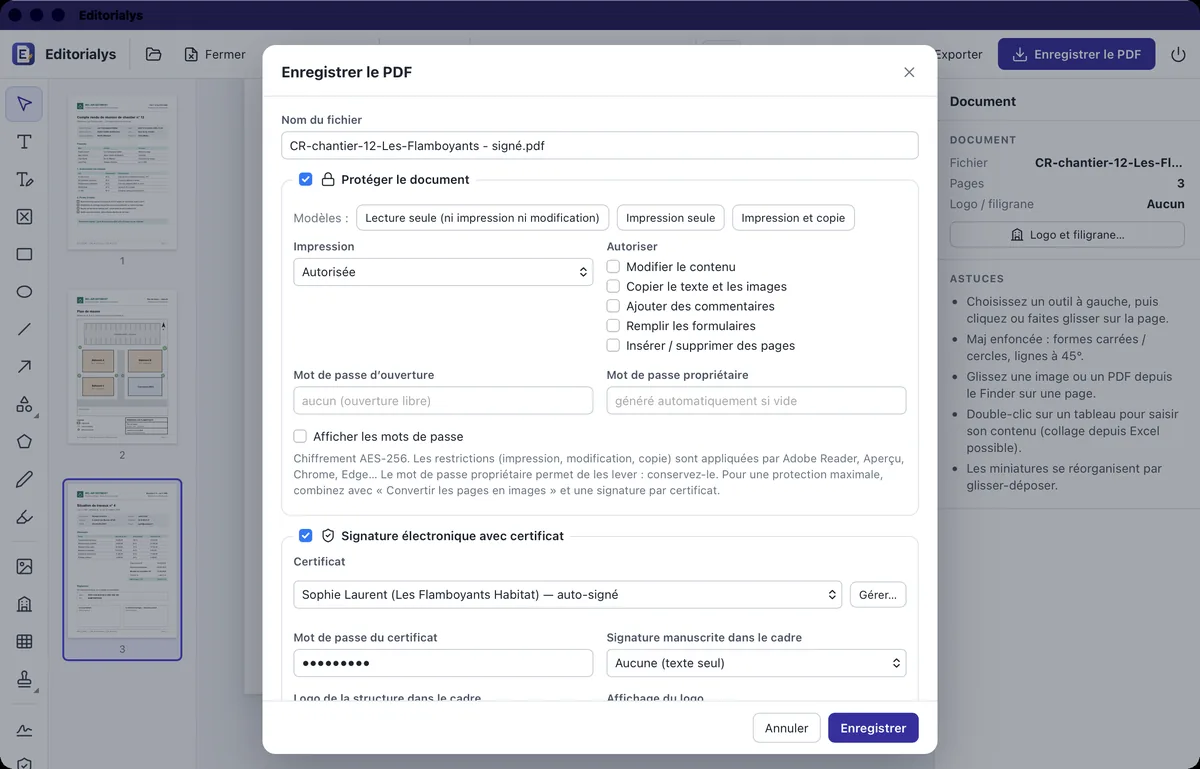
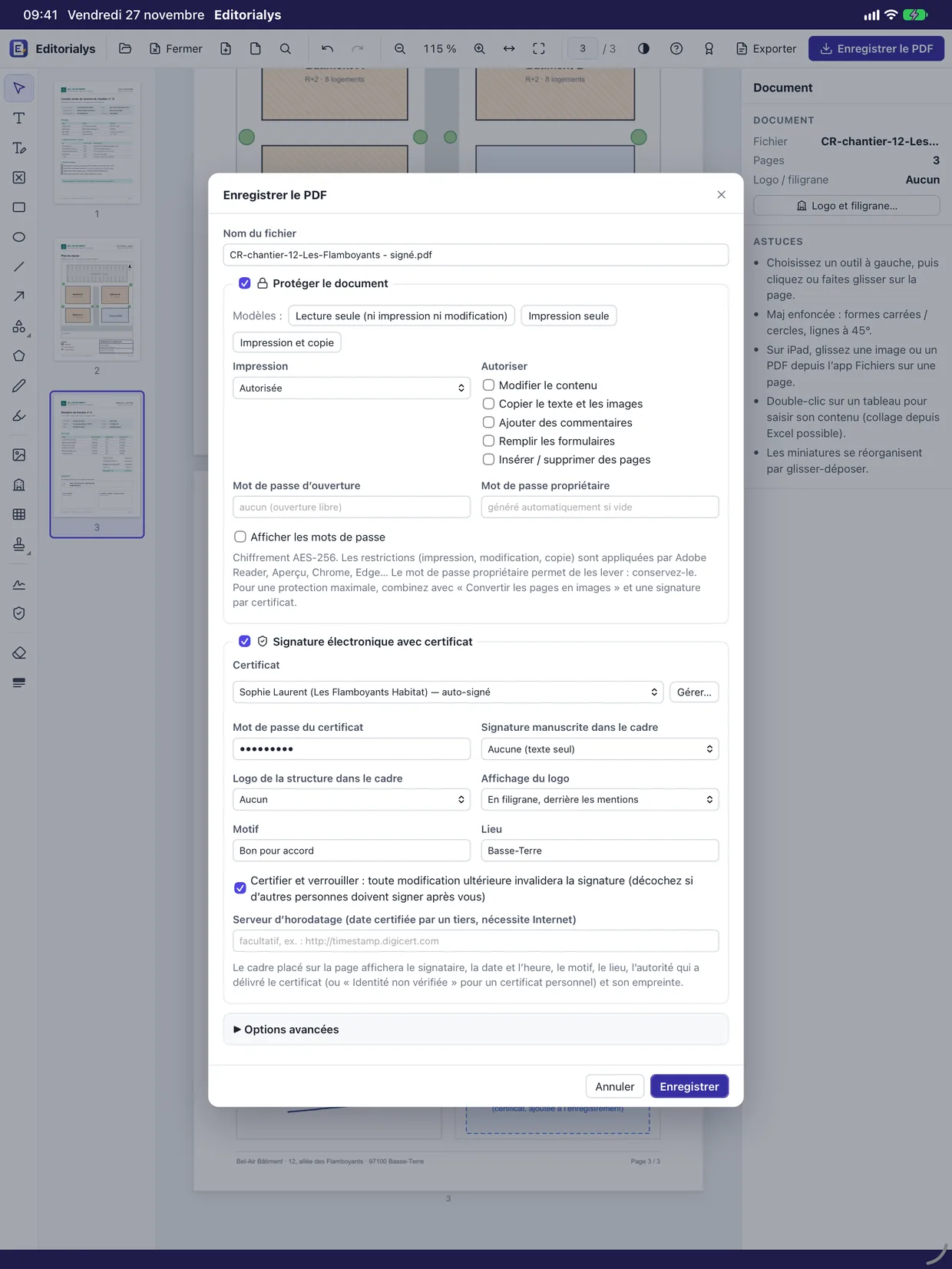
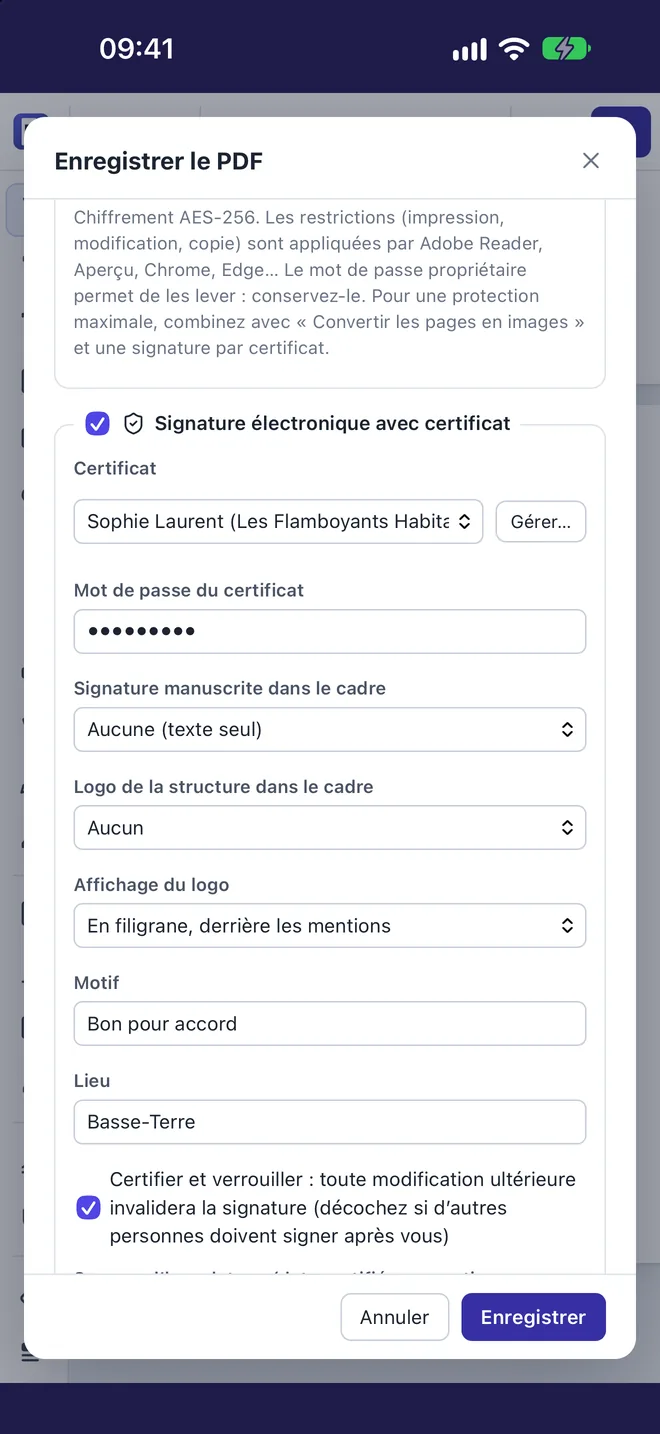
Handwritten signature, drawn, typed or imported, and kept for next time. Digital signature with a certificate in PAdES format, with its signature box: signer, date, reason, location, logo and, if you wish, a timestamp.
06
Protect
AES-256 encryption, document open password and owner password; printing, editing and copying allowed or not. For maximum protection, pages can be converted to images.
07
Export
The PDF remains the master copy. It can also be exported to Word (.docx), PNG or JPEG images, plain text and a web page with selectable text, annotations included.
Quote-2026-118.pdf
Open
Bel-Air Bâtiment12, allée des Flamboyants · 97100 Basse-Terre
Quote no. 2026-11820 November 2026
Client: Les Flamboyants Habitat
Subject: refurbishment of the meeting room
Valid until 30 November 2026Valid until 15 December 2026Edit text
DescriptionQtyNet amount
Removal of suspended ceiling48 m²€1,152.00
Wall painting, two coats96 m²€2,304.00To be checked on site
Recessed LED lighting12 no.€1,680.00
Total excl. VAT€5,136.00
VAT 8.5%€436.56
Total incl. VAT€5,572.56
30% deposit payable on order
Payment by bank transfer IBAN FR76 1234 5678 9012 3456 7890 123Redacted: removed from the file
Agreed – date and client’s signature
Digitally signed by Sophie Laurent27/11/2026 at 10:42 · Reason: AgreedSignature intact · PAdES
Agreed27/11/2026
Bel-Air Bâtiment · Page 1 of 1
AES-256
Document open password••••••••••
PrintingEditingCopying
PDFWord .docxPNGJPEGText .txtWeb page .html
The app, as it really is
Tools on the left, the page in the centre, settings on the right.
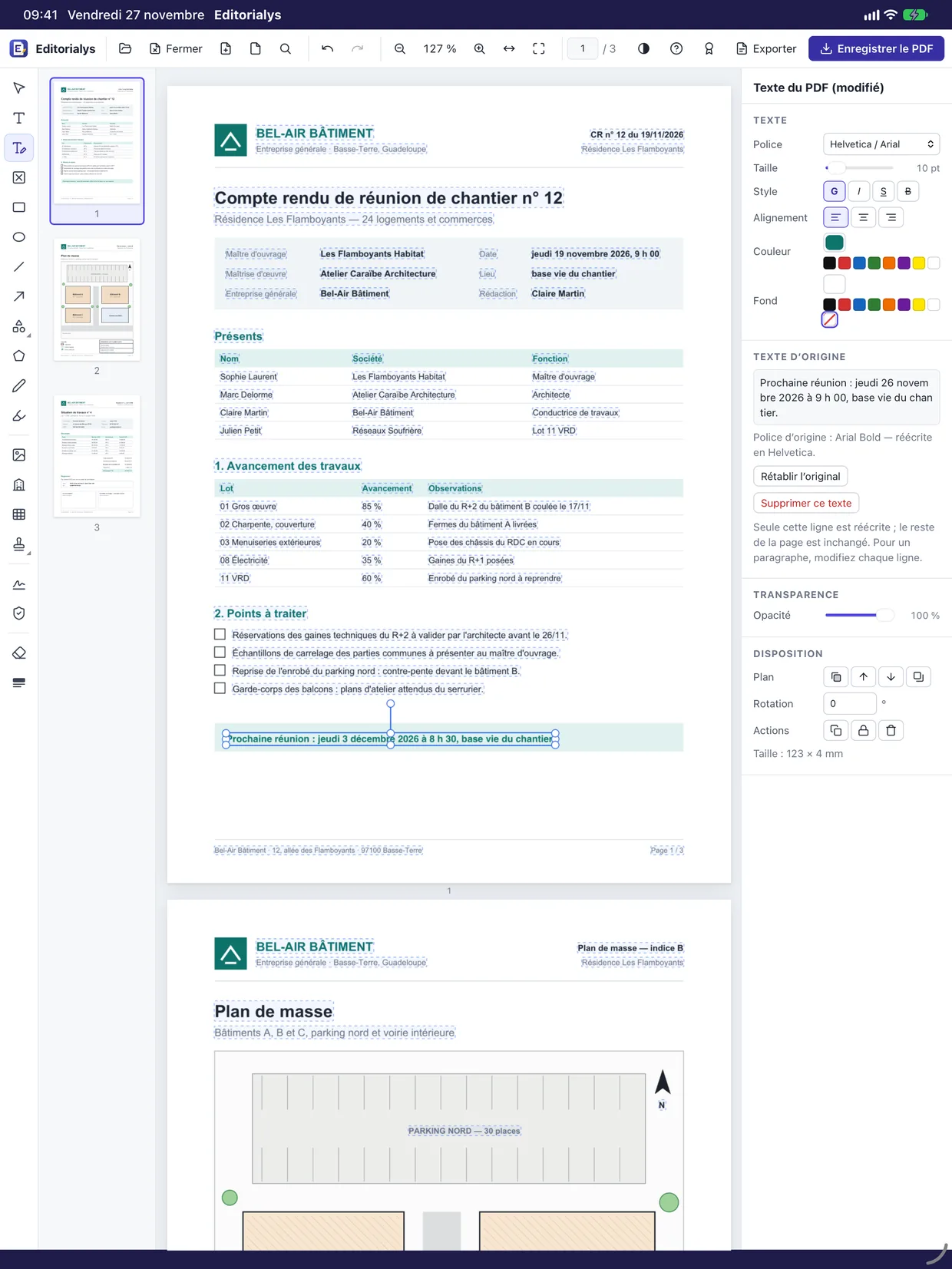
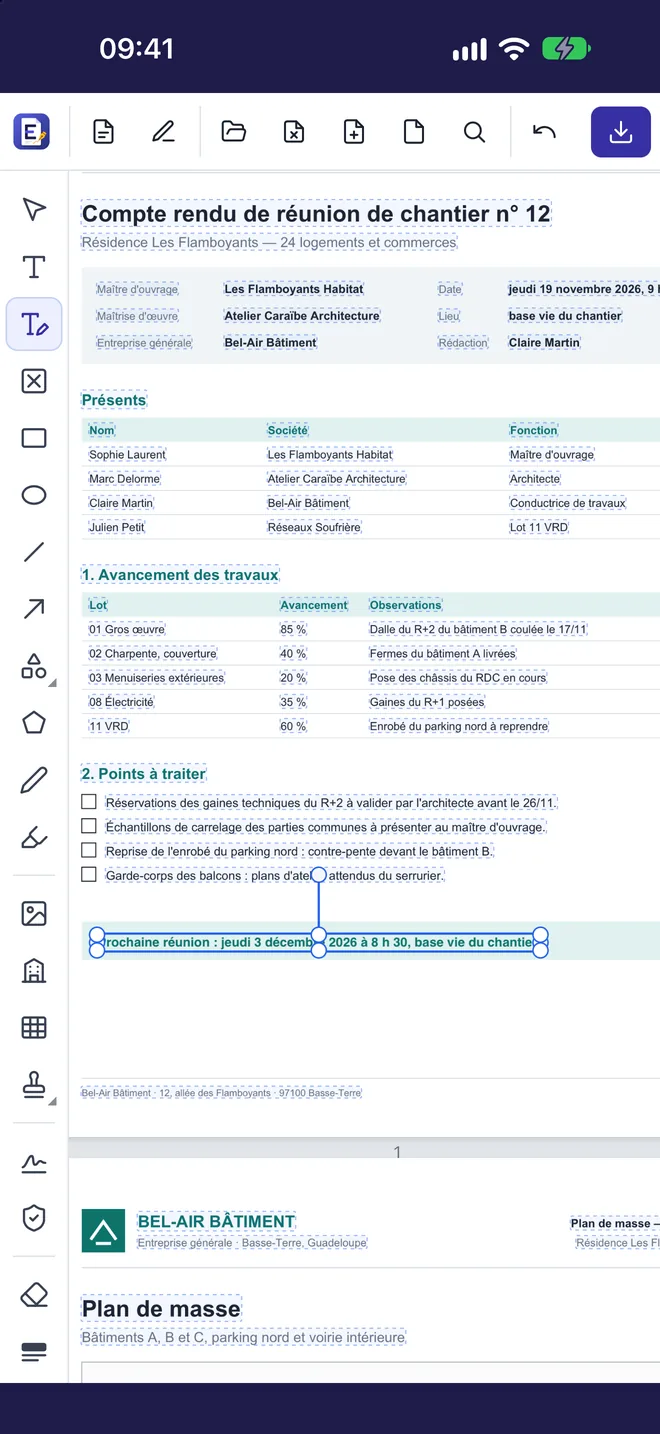
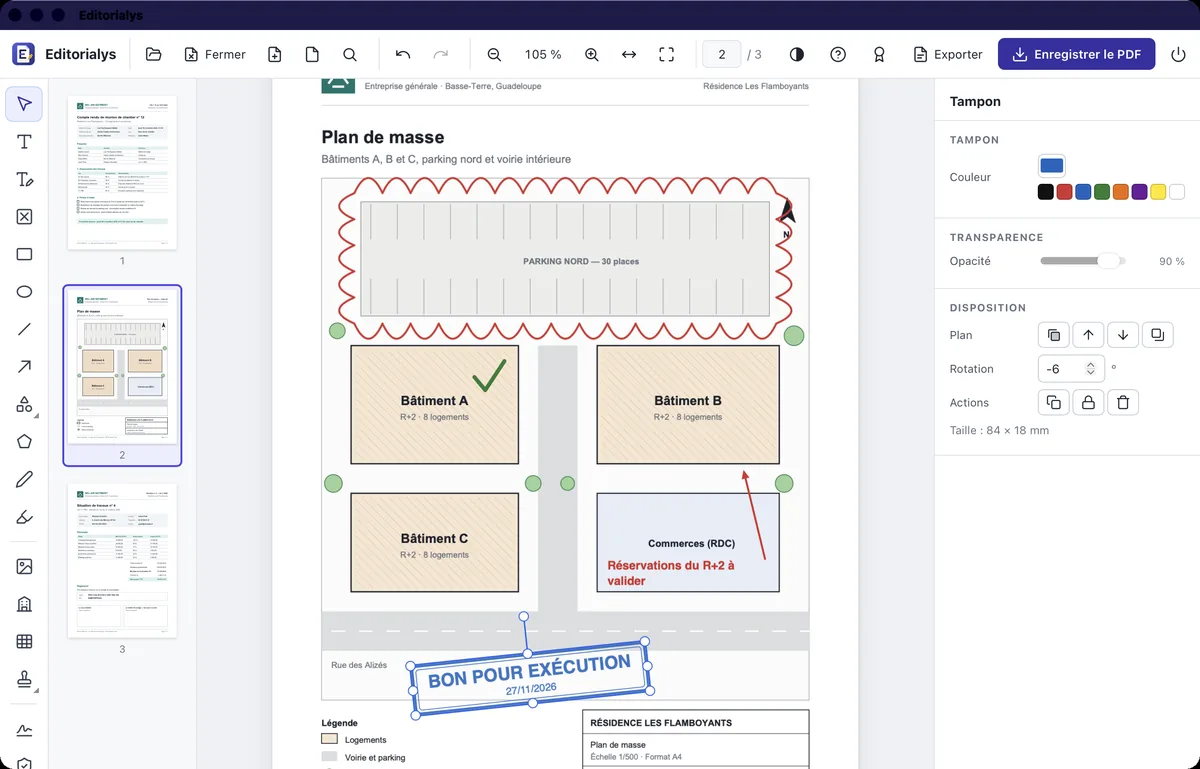
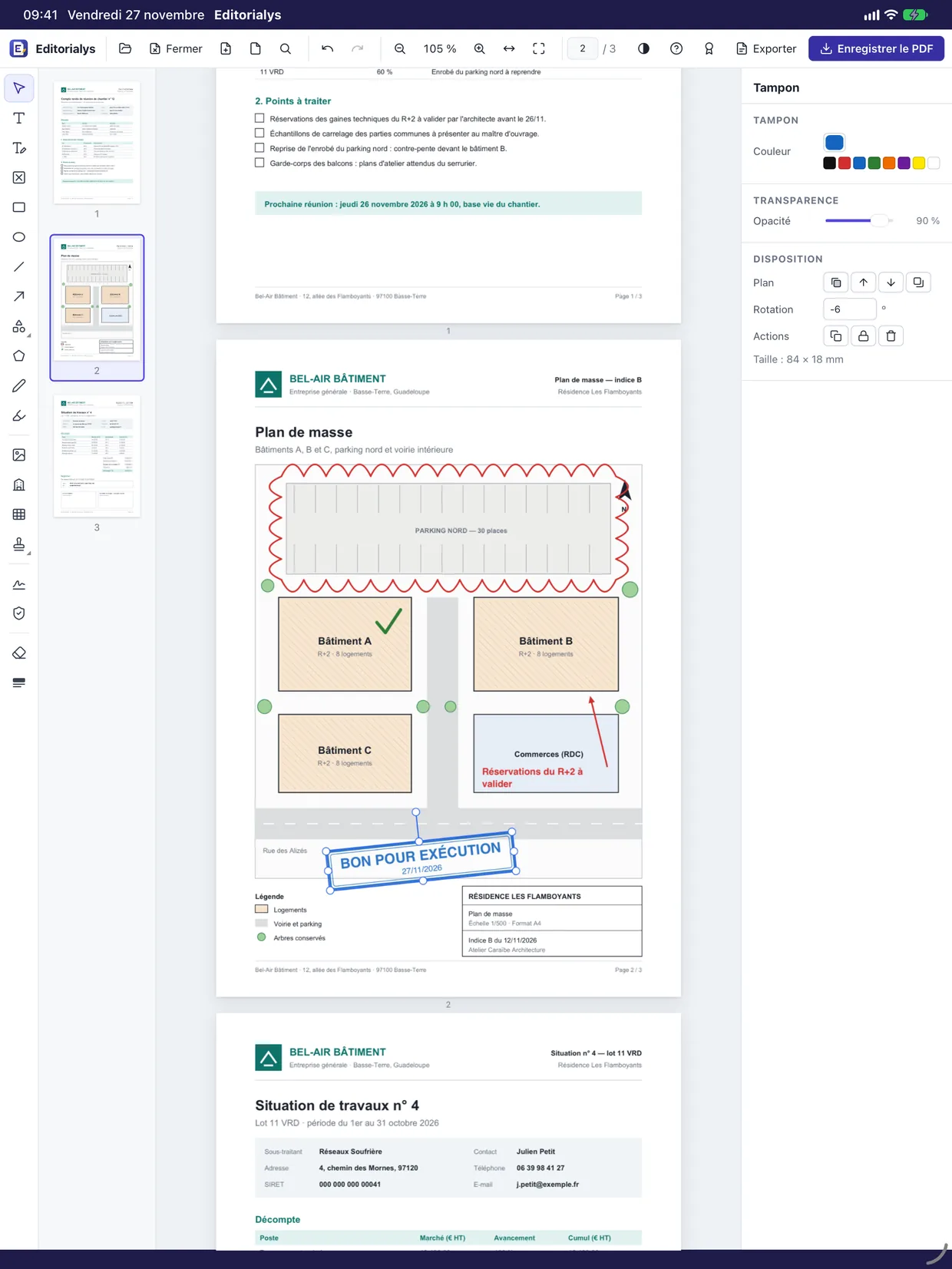
A single window, the same on Mac, iPad and iPhone. Each tool shows its own settings, and everything you add stays editable until you save.
Text
01A line corrected in place. The right-hand panel keeps the original text, which you can restore in a single step.
Annotations
02On a site plan: revision cloud, tick, arrow, comment and an “Approved to proceed” stamp.
Redaction
03An IBAN and a SIRET number redacted: when you save, whatever lies beneath the black boxes disappears from the file.
Signature and protection
04Save PDF: AES-256 protection with its permissions, and a digital signature with a certificate, all in one go.
Export
05Export to images, Word, text or a web page, for the whole document or selected pages.
The screenshots show the French interface with fictitious documents. Editorialys appears in your device’s language (52 languages available).
Privacy
Your documents never leave your device.
Editorialys has no server, no account and no analytics. Your PDFs are opened, edited and saved wherever you decide: on the device, in iCloud Drive or on a company server.
No data collected
That’s what the Editorialys App Store listing declares, and it’s what its code does: nothing is sent to Vogea Consulting.
No account to create
The subscription is linked to your Apple Account. No extra username, no extra password.
One connection, and it’s optional
Timestamping a signature, if you turn it on: only the signature’s fingerprint goes to the server you have chosen, never the document.
Redaction that really deletes
Before sharing a document, remove the personal data it contains for good: redaction erases it from the file.
Your device
Your PDFs
Signatures, logos, certificates
signature fingerprint, only if you ask
Timestamp server of your choice
nothing
Vogea Consulting
Digital signature
A signature you can verify, not just an image.
Editorialys signs in PAdES format, recognised by Adobe Acrobat and other PDF readers. Any change made after signing shows up.
Your certificate
Create a self-signed certificate in the app, or import one issued by a certificate authority (.p12 or .pfx), as public tenders often require.
A clear signature box
Signer, date and time, reason, location, your organisation’s logo and the certificate fingerprint, exactly where you drew the box.
Multiple signers
Countersign without invalidating the signatures already in place, or certify the document to lock it.
When a PDF arrives, Editorialys checks it
A banner details every signature in the PDF you have received.
ValidDocument unchanged, certificate issued by a recognised authority.
IntactDocument unchanged, but the signer’s identity is not guaranteed.
InvalidThe document was modified after it was signed.
The legal value of a signature depends on the certificate used: a self-signed certificate proves the document’s integrity, not the signer’s identity.
Mac, iPad and iPhone
One subscription, all your devices.
The subscription covers one person, on every iPhone, iPad and Mac signed in to their Apple Account. On a Mac, drag a PDF from the Finder and save it in place; on iPad or iPhone, annotate and sign wherever you are.
Mac
macOS 14 or later
iPad
iPadOS 17 or later
iPhone
iOS 17 or later
52 languages
The interface follows your device’s language, or the one you choose. The text you write in a PDF can be in any script: Latin, Greek, Cyrillic, Arabic, Hebrew, Chinese, Japanese, Korean, Devanagari…
No. Editorialys has no accounts: the subscription is linked to your Apple Account, and your documents stay wherever you save them.
How many devices can I use it on?
On all your iPhones, iPads and Macs signed in to the same Apple Account. The subscription is personal: Family Sharing is not available, and each employee in a company has their own subscription.
Are my documents sent anywhere?
No. Editorialys processes your PDFs on your device and has no server. The only possible connection is timestamping a signature, if you turn it on: only the signature’s fingerprint is then sent to the server you have chosen.
Do edited PDFs open in other apps?
Yes: Editorialys saves standard PDFs that Adobe Acrobat Reader, Preview or any web browser can read. Added elements are embedded as vectors, so they print sharply.
The pen is yours.
Open your next PDF in Editorialys, on Mac, iPad or iPhone.